Map and address search
Choose a test point on the map or find an address.
 FakeGPS
Android app
An Android app for development and location testing. Simulate a point or GPX route, inspect the real GNSS receiver and record observation sessions.
How to installChoose a test point on the map or find an address.
Import a route, adjust speed and simulate movement. Pause, resume or stop from the notification.
Keep favorites, routes and recent selections for repeatable tests.
Inspect the hardware receiver in interactive 3D, 2D and list views.
View measurements and signal history, record observations and review saved sessions.
English, German, Spanish, French, Russian, Portuguese, Italian and Polish. Light and dark appearance.
Choose a screenshot to see it larger.
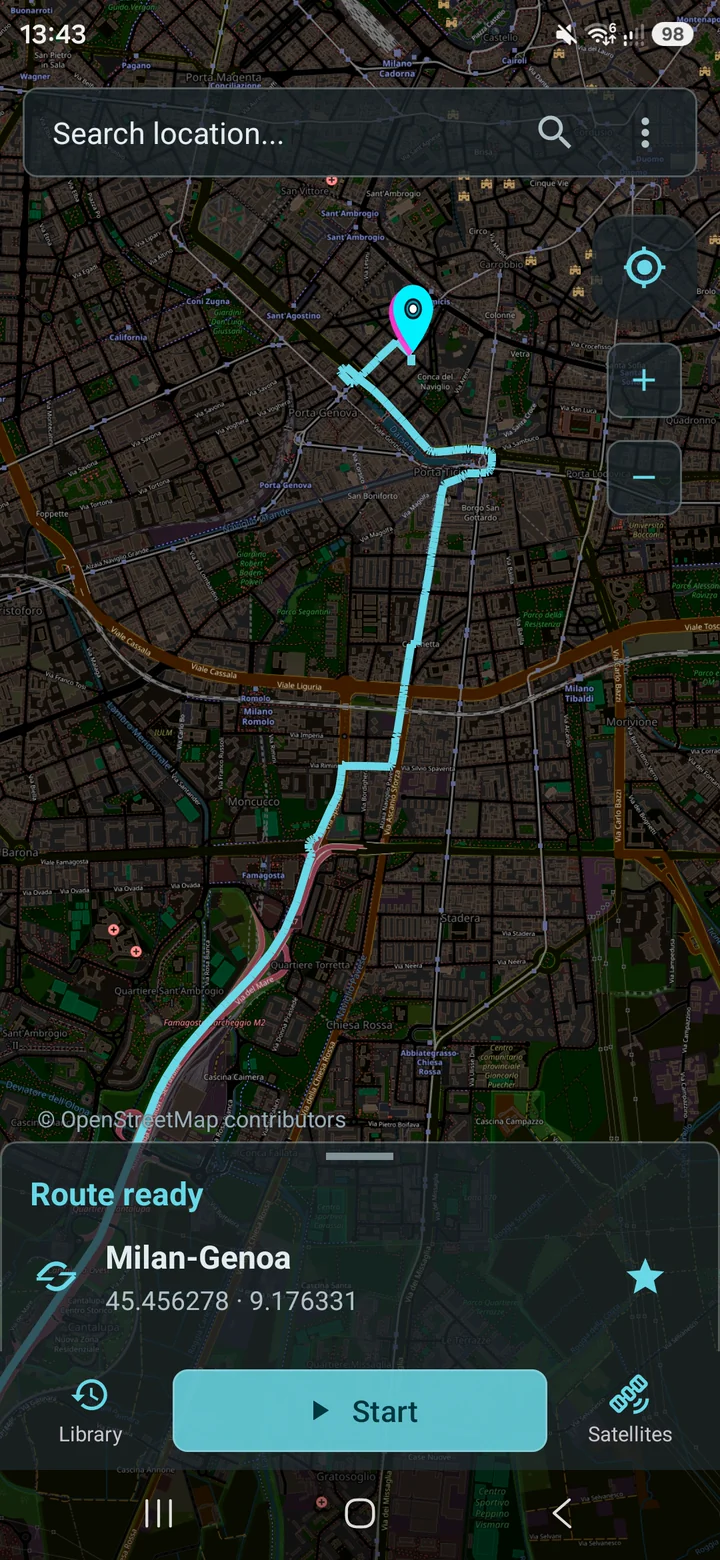
Load a route and see its path before starting the simulation.
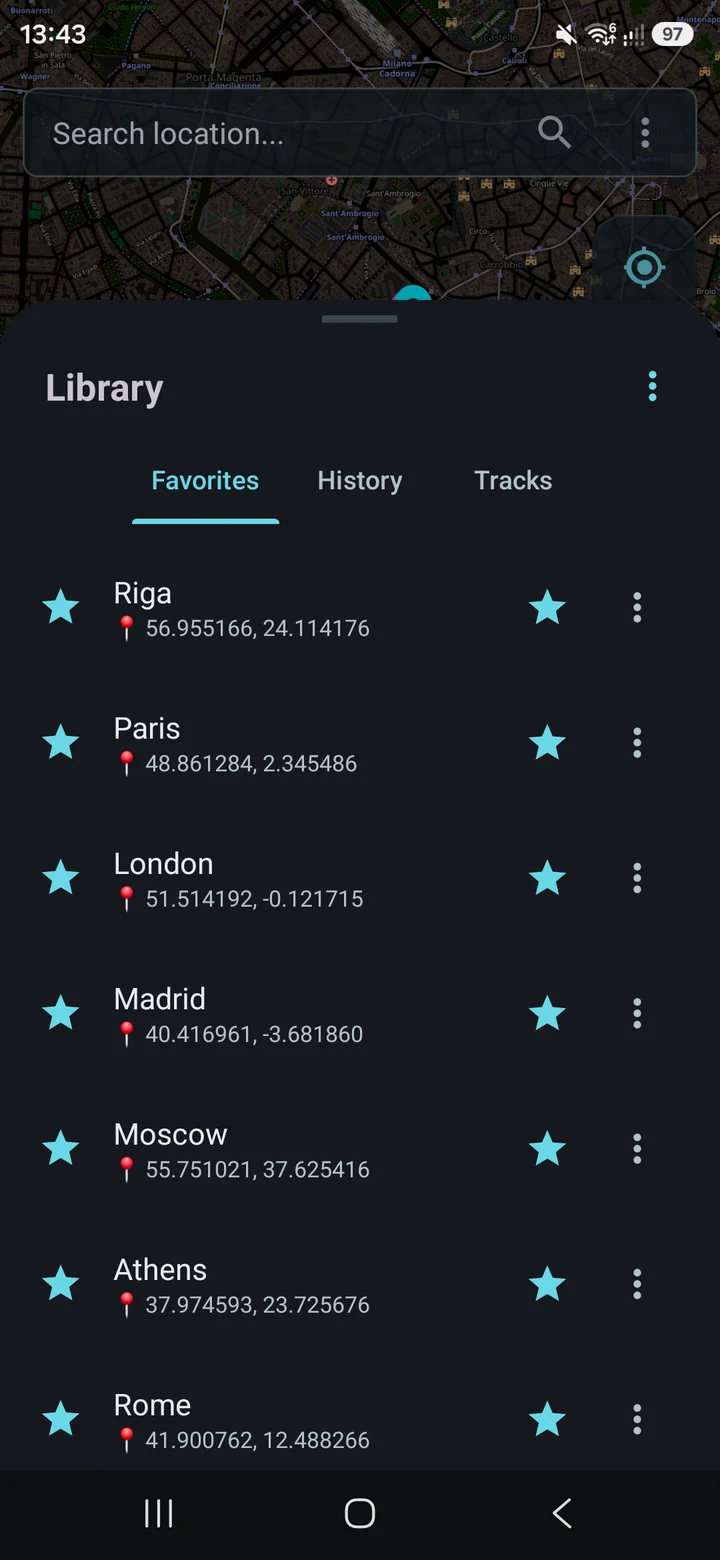
Keep favorite points and saved routes together.
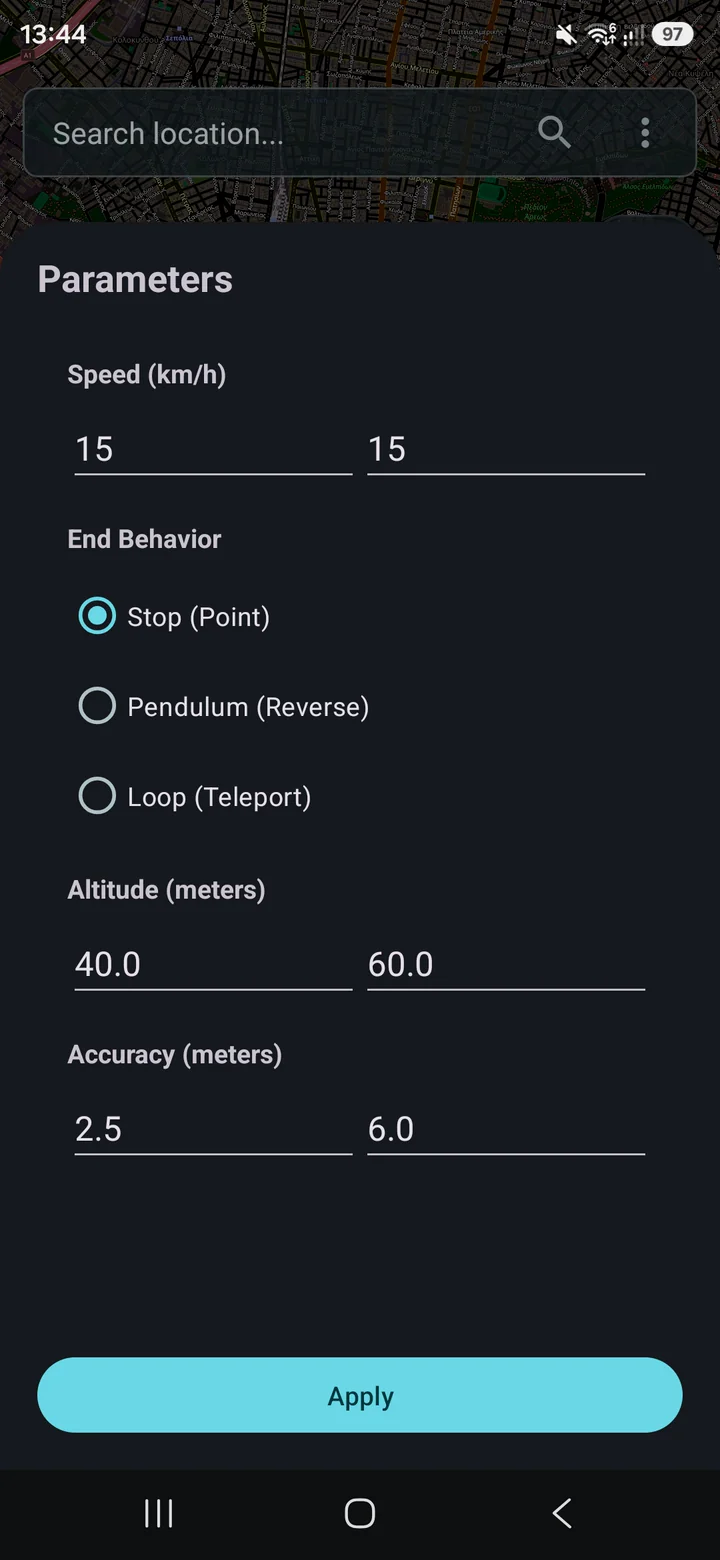
Set speed, altitude, accuracy and what happens at the end of the route.
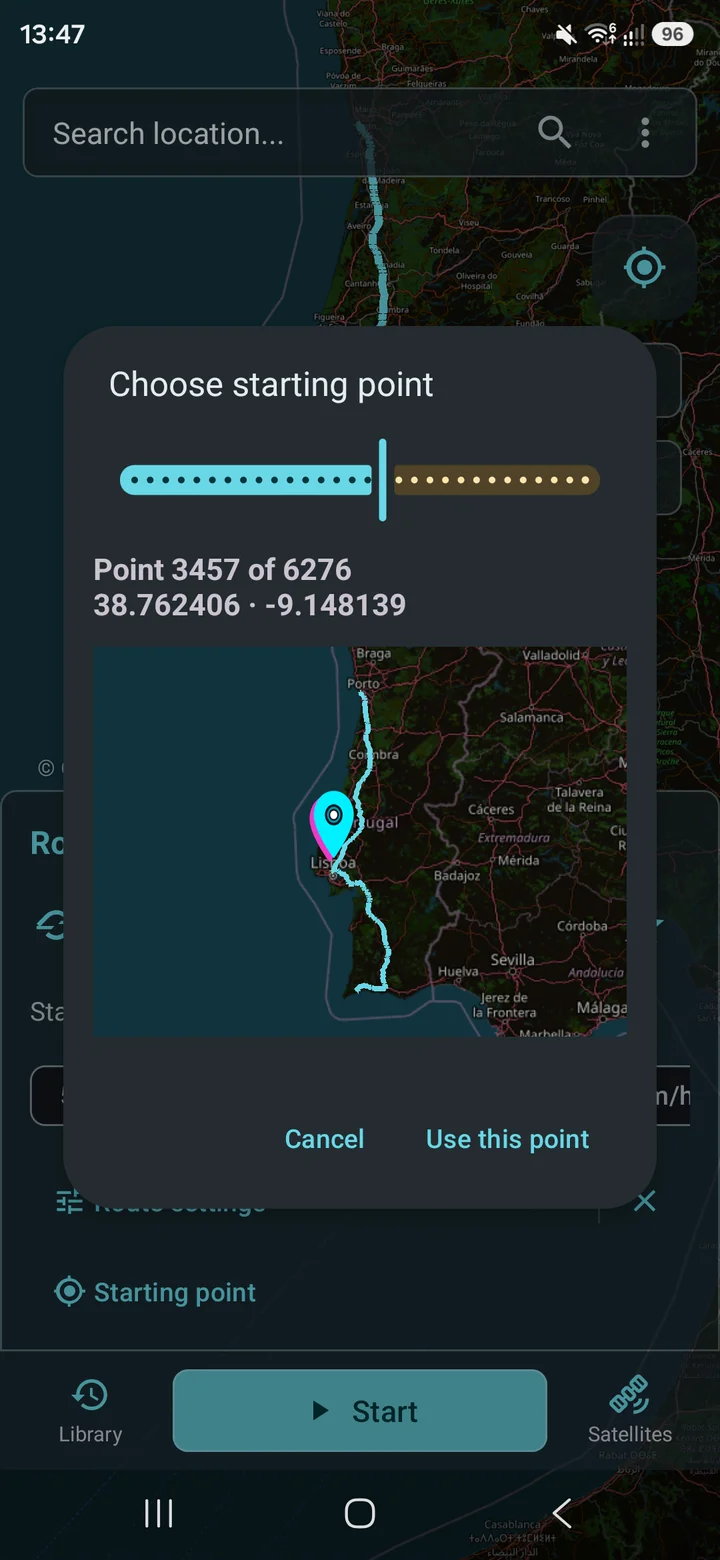
Choose a starting point along the GPX route.
GNSS / 3D
Watch the interactive sky view rotate: satellite positions, constellation markers and live receiver statistics stay in view.
Recorded in Fake GPS Tools with a real GNSS receiver. The figures show observations from that recording.
ANDROID 8.0+
Android 8.0 or newer. Simulation requires Developer options and selecting Fake GPS Tools as the mock location app.
Install a newer compatible release over the existing app to keep local data. Do not uninstall or clear storage to update. Older Fake GPS Location packages are separate apps; their data is not automatically migrated.
Android marks simulated coordinates as mock. Simulation does not generate hardware satellites or guarantee a GPS fix in other apps.
GNSS diagnostics show receiver measurements. Jamming and spoofing indicators are experimental, not a verified attack probability; no warning does not prove signal authenticity. The app is for development and testing, not navigation or safety decisions.
Background behavior varies by device. Long unattended operation and deep sleep have not been comprehensively validated across devices.